
- Start with the wall: Native resolution and total pixel count establish the system capacity required.
- Plan for the content: A presentation wall and a multi-source control room have very different needs.
- Specify only what matters: HDR, advanced layouts, and future inputs are selected when they support the application.
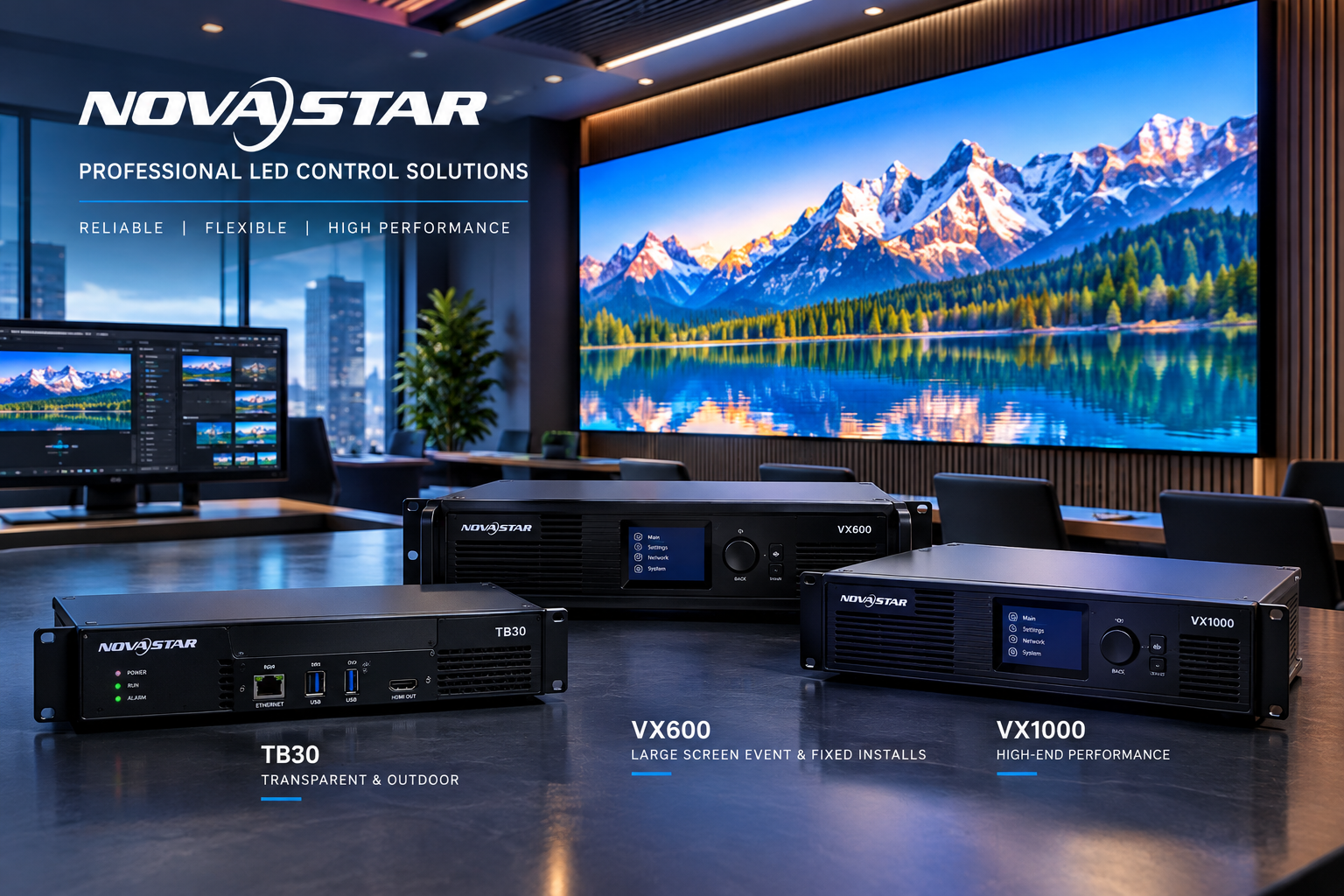
An indoor LED video wall is more than just a large screen. Behind the display is a control system responsible for receiving video signals, processing content, and delivering the image across thousands or millions of pixels.
Choosing the right system depends on how the video wall will be used. A conference room displaying presentations from one laptop has different requirements than a control room displaying multiple live sources simultaneously.
At PixaClear LED, we evaluate each project’s display resolution, video sources, processing needs, and future expansion requirements before selecting the appropriate hardware. The goal is to deliver the performance the customer needs without unnecessary complexity or expense.
Understanding LED Controllers and Video Processors
Different LED installations require different methods of delivering content to the screen. Some use simple media players, while others need advanced video processors that can handle multiple inputs and complex layouts.
Media Players
Designed primarily for scheduled digital-signage content. They are common in outdoor LED signs, digital advertising, and storefront displays where content is uploaded and played automatically.
LED Controllers
Manage the data sent to the LED display and distribute image information to the receiving cards within the screen. Capacity and output configuration must match the wall.
Video Processors
Handle incoming signals, scaling, source switching, multiple content windows, and advanced image processing for live indoor video-wall applications.
Some modern systems combine controller, video-processing, and media-playback functions in one device. Not every installation requires three separate pieces of equipment.
Why Screen Resolution Matters
The physical dimensions and pixel pitch of an indoor LED video wall determine its total number of pixels. The LED video processor and controller must support that wall’s native resolution so the image is delivered cleanly across the entire display.
Higher pixel counts generally require greater processing and data-transmission capacity. Larger installations may need multiple data outputs or a more advanced processing system. PixaClear LED evaluates the total pixel count before recommending a processor to ensure the selected system can properly support the display.
How Many Video Inputs Do You Need?
One of the first questions we ask is how the video wall will be used. Some installations need one input, while others need several sources available at the same time.
We consider the number of sources, HDMI and DisplayPort compatibility, SDI where professional video requires it, input resolutions, source switching, and possible future additions. The number of physical inputs is not always the same as the number of sources that need to be displayed simultaneously.
How Many Outputs Does the Video Wall Require?
The selected control system needs sufficient output capacity to drive the LED display. That requirement depends on total screen resolution, pixel loading capacity, screen layout, controller capabilities, and signal-distribution requirements.
Some installations can use a compact all-in-one system, while larger or more complex displays may need additional output capacity. Video inputs that connect source equipment are different from the data outputs that connect the control system to the LED display. PixaClear LED evaluates the display configuration and controller capacity to determine the appropriate output architecture.
Does Your Video Wall Need HDR?
SDR, or standard dynamic range, is the everyday video format used for presentations, digital signage, and many commercial applications. A properly configured SDR system can provide excellent image quality.
HDR, or high dynamic range, can provide greater detail in bright and dark portions of an image and support a wider range of colors when the entire display system is compatible. HDR10 is one common HDR format.
Whether HDR makes sense depends on the source content, processor compatibility, signal format, color depth, LED display capabilities, and proper system configuration. It is not necessary for every indoor LED video wall.
Displaying Multiple Video Sources on One LED Wall
Advanced LED video processors can allow multiple sources to appear on the same wall. This is especially valuable in corporate boardrooms, control rooms, houses of worship, sports bars, and broadcast environments.
Features can include picture-in-picture, multiple windows, source scaling, custom layouts, and source switching. Available features depend on the selected processor and the needs of the project.
Why Image Processing and Calibration Matter
Selecting the correct processor involves more than having enough inputs and outputs. Image quality also depends on how incoming content is processed and displayed.
- Scaling quality helps content look intentional at the wall’s native resolution.
- Color reproduction and calibration help maintain a consistent image across the LED wall.
- Signal compatibility and HDR support help the system deliver the intended picture when those formats are required.
- Brightness consistency supports a balanced, professional viewing experience.
Different Applications Require Different Processing Systems
Corporate Boardroom
Typical requirements: Presentations, video conferencing, laptop connections, and straightforward source switching.
Processing priorities: Input compatibility, reliable scaling, simple operation, and appropriate display resolution.
House of Worship
Typical requirements: Live cameras, presentation software, video playback, and multiple content sources.
Processing priorities: Multiple inputs, flexible layouts, responsive switching, and suitable end-to-end latency.
Premium Indoor Video Wall
Typical requirements: High-resolution video, premium visual content, HDR when needed, and multiple video sources.
Processing priorities: High pixel capacity, image quality, color processing, HDR compatibility, and flexible inputs.
The appropriate system depends on the actual project requirements—not a one-size-fits-all processor model.
How PixaClear LED Selects the Right Video Processor
We evaluate each project before selecting the control hardware.
| Requirement | What We Evaluate |
|---|---|
| Display Size & Pixel Pitch | Determines the screen’s native resolution |
| Total Pixel Count | Establishes processing and data-capacity requirements |
| Video Inputs | Number and type of connected sources |
| Output Requirements | Capacity needed to support the LED display |
| Content Type | Presentations, video, live feeds, or mixed content |
| HDR Requirements | Compatibility with HDR sources and display capabilities |
| Multiple-Source Layouts | Number of simultaneous windows and layout flexibility |
| Future Expansion | Potential additional sources or system upgrades |
At PixaClear LED, we don’t select video processors based solely on model numbers or specifications. We evaluate how the customer plans to use the display and select the appropriate system to meet those requirements. This helps ensure reliable performance, excellent picture quality, and an installation designed around the customer’s actual needs.
Technology We Work With
PixaClear LED works with professional LED control and video-processing technology, including NovaStar systems. The specific equipment is selected based on the display’s resolution, connectivity, image-processing requirements, and intended application.
The Right Video Wall Starts With the Right System Design
From display resolution and video sources to HDR and advanced processing, PixaClear LED selects and configures indoor LED video wall systems around your specific requirements.
Explore Indoor LED Video Walls Get a Free Quote